IRS Online Account Setup Tutorial: Step-by-Step Guide to Create and Verify Your Account
As noted by Advocate Shahid (Tax Legal Research Specialist). To establish an IRS Online Account, you’ll need to provide verification of your identity via ID.me, including with a valid email, an unexpired photo ID (driver’s license, passport, or state ID), your Social Security Number (SSN) and a smartphone to get and upload a selfie.
What Is an IRS Online Account?
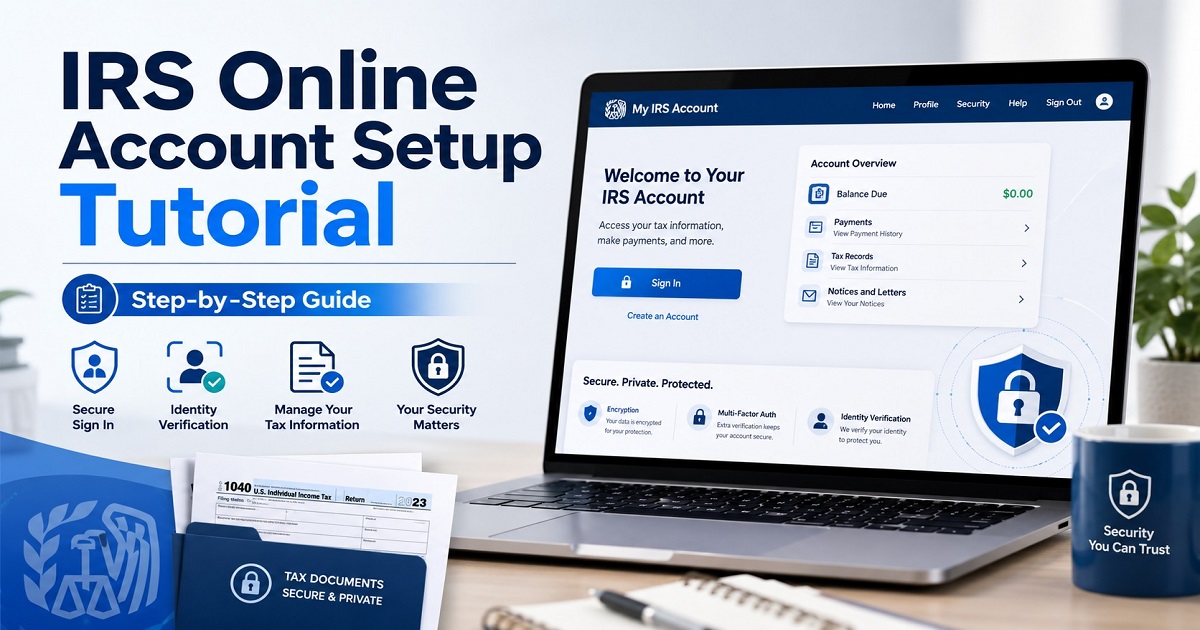
An IRS Online services account is a safe taxpayer gateway for individual income tax payers. It’s not tax preparation software and it is not a substitute for a CPA, EA or attorney. Rather, the IRS taxpayer online account provides access to certain IRS account information, directly.
You can access federal tax balance details, IRS payment history, IRS tax transcript records, payment plan details, and a few IRS notices online in an IRS individual online account. By making this tutorial on how to access the IRS account useful, anyone who would like to know what the IRS has on file will be able to do so.
| Feature | What It Helps You Do |
|---|---|
| Tax balance | View federal tax balance by tax year |
| Payment history | Check IRS payment history online |
| Tax records | Access IRS tax transcript and IRS online tax records |
| Payment plans | Review IRS payment plan access and payment plan details |
| Notices | View selected IRS notices online and notice preferences |
| Security | Manage IRS account security and IRS login security |
The IRS has also made an effort to help taxpayers fashion individual online accounts for their own convenience and security, saying anyone who can prove their identity can set up an account.
How to Create an IRS Online Account (Step-by-Step Guide)
The step-by-step instructions to avoid confusion when setting up an IRS online account are explained. Make use of it as an IRS login setup manual as well as IRS account creation guide.
Step 1: Go to the IRS Online Account Page
Go to the IRS Individual Online Account page. Click on the “sign in or create account” link. It’s the most secure method for starting IRS account registration, IRS individual account registration or IRS account enrollment.
Stay away from search ads, email links or links from social media. The best practice to use any IRS.gov online account setup guide is to type the IRS web address directly or use a bookmark you created for the official IRS.gov webpage.
Step 2: Choose “Create Account” or Sign In
For new users, choose to set up access to IRS login. If you already have an ID.me account, you might be able to log in to your existing ID.me account with your IRS ID.me credentials. That’s where numerous users will ask, “How do I log into my IRS account?” The solution is simple – follow IRS instructions and use the secure access login number provided by the IRS.
Step 3: Start ID.me Account Setup
Most new users will need to have their ID.me accounts set up to proceed. Taxpayer Advocate Service says taxpayers must have an ID.me account in order to log into their IRS online account.
It’s here that individuals look for ID.me account for IRS, IRS verification ID.me and IRS ID.me account. You will be asked to provide personal data, set logon details and pass through the identity verification screen(s).
Step 4: Verify Your Identity
Then you’ll have to confirm your identity with IRS in the ID.me process. This can be an online IRS account verification, IRS document verification, IRS selfie verification or in some instances IRS video chat verification.
To complete ID.me self-service verification, users may need a smartphone with camera, photo ID, and/or SSN. The IRS has also explained the program in which users upload a photo of a driver’s license, state ID or passport as well as taking a selfie with a smart phone or webcam.
So, if you’re like me and you’re wondering, how do you verify your id for an IRS account, it’s very simple: use your actual legal name, upload an ID that’s clear, ensure your camera is functional, and make sure your SSN/ITIN is typed correctly.
Step 5: Set Up IRS Multifactor Authentication
IRS multifactor authentication is an extra layer of security to your IRS secure login. An approved code, authentication app, cell phone or text message may be used for MFA. IRS MFA setup is all the more essential because even if somebody has your IRS account on the web and assumes your account password, they need to be incapable of entering without the second type of confirmation.
Always create a strong and unique password; save recovery options; and never give out your IRS verification code. The IRS authentication app options, along with other MFA options, better account protection within IRS accounts.
Step 6: Access Your IRS Online Account After Setup
Once verified, you can view your account and your tax history, balances, payments and some tax notices. This is the answer to the frequently asked question, “How can I log-in to IRS website after installation?” You are again on the IRS sign-in page, enter your verified sign-in information, go through the multi-factor authentication (MFA) and log into your taxpayer dashboard.
IRS Online Account Setup Requirements
Before you begin setting up your IRS.gov account, make sure you have all the necessary items ready. The majority of questions taxpayers have about their accounts online with the IRS are due to starting too soon and discovering they need one or more of the necessary steps, for example, the right personal details, correct phone number, or ID.
Documents Required
For IRS online account setup requirements, you usually need:
- Social Security number or Individual Taxpayer Identification Number
- Government-issued photo ID
- Email address
- Phone number for IRS verification code or ID.me verification
- Smartphone or computer with camera access
- Current personal details that match tax and identity records
The IRS indicates that it might ask for an SSN or an ITIN, combined with a government-issued photo ID card, like a driver’s license, state ID, passport or passport card.
This means that it is possible to set up an IRS online account with SSN or ITIN, but you must have the same information on your IRS records. To protect your account, you’ll go through SSN or ITIN verification, Social Security number verification, IRS photo ID verification and taxpayer identity verification.
Is IRS Online Account Free?
Yes, there is a no-cost sign up. You will find there’s not any cost to create an IRS online account. But any payment services related to this may have charges. For instance, there may be cost of setup associated with payment plans for the IRS and third party processing fees for card payments. The IRS payment plan setup fee page online has some long-term payment plans listed.
Real-Life Example: A First-Time User Setting Up an IRS Account
Suppose that Maria, the first time taxpayer, requires to file her current tax return her adjusted gross income from last year. She goes online and types in the title “how to create an IRS online account step by step” and begins the process. However, her first attempt is unsuccessful since the address provided on her government ID is not the same as the one she entered on the verification form.
The answer to her problem is straightforward. She shows her ID, types in her name as it appears on her ID, takes a better and clearer picture in better lighting and finishes ID.me verification with IRS. Upon entering she can see IRS tax records, IRS tax transcript info and IRS tax account info.
This is why you should never just see “create account” in an online tutorial on how to set up IRS online account. It should give an explanation of how it can go wrong and how it can be overcome.
What You Can Do With an IRS Online Account
After you’ve finished your IRS online account setup, you will be able to use the account for regular tax administration.
View Tax Records and Transcripts
The answer to “Can I get IRS tax records online?” is yes, for a large number of IRS records. Tax transcripts may be viewed, printed and/or downloaded. This can be helpful when applying for a loan, school forms, income verification and previous year filing information.
Check IRS Balance Online
I may be checking my IRS balance online: how do I do that? Log in to your account and view your account balance for each tax year. This can come in handy when you get a notice, you make a late payment or if you want to see if penalties and interest have been adjusted.
View Payment History
You can see recent payments, scheduled payments and past activity of your IRS payment history online. This is useful when a taxpayer states that he or she has paid, and is uncertain if the IRS received the payment.
Manage Payment Plans
The access to IRS payment plan will enable taxpayers to apply for or review installment agreements. The IRS states that eligible taxpayers can sign up for online payment arrangements, and the setup fees will vary, depending on the type of arrangement.
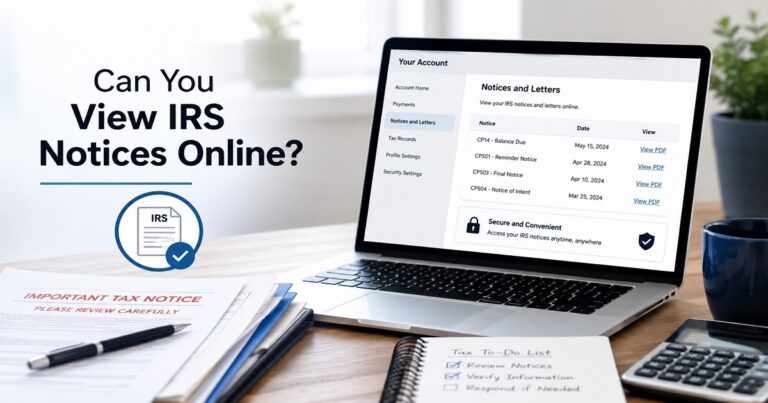
View IRS Notices and Preferences
If you wish to receive communications quicker, IRS notice preferences and IRS notices online are helpful. However, it’s important to keep an eye out for IRS letters in the mail as not all letters will be available online.
Common IRS Online Account Setup Problems and Solutions
Problem 1: ID.me Cannot Verify Your Identity
A failed ID.me identity proofing attempt is one of the most common errors. This can be due to multiple reasons, such as name mismatch, an expired document ID, a bad photo of the document, improper lighting for the photo of the selfie, an incorrect SSN, ITIN, or duplicate account problem.
Solution: Be sure to use your legal name as it appears on government records. Submit an easy-to-read photo ID photo. Ensure that your camera lens is clean and that you are able to see your face.
Problem 2: IRS Verification Code Not Working
The IRS verification code or MFA code is sometimes not received, doesn’t come or gets invalid.
Solution: Verify the phone number, wait until you’ve received the code before requesting another, don’t keep trying codes and ensure you can receive messages or authentication codes.
Problem 3: Password or Login Error
An IRS secure login error may occur if you log in with the wrong password, old email or the wrong method of Multi Factor Authentication (MFA).
Solution: Log in again with your new password. Never reuse passwords on banking, email or tax software accounts.
Problem 4: ITIN User Cannot Complete Verification
To create an Internal Revenue Service (IRS) account using ITIN, answer this question: Yes. ID.me offers a process of customers verifying using Individual Taxpayer Identification Number rather than an SSN. Smart Tax Guides can also serve as a checklist prior to beginning to register on-line with the IRS.
Mistakes to Avoid During IRS Online Account Registration
Avoid these common errors:
- Using a nickname instead of your legal name
- Uploading an expired photo ID
- Entering the wrong SSN or ITIN
- Creating multiple ID.me accounts
- Ignoring multifactor authentication
- Using public Wi-Fi for IRS login
- Trusting fake IRS emails or text links
- Not saving account recovery options
- Assuming an online account removes tax debt
- Confusing IRS online account access with tax filing software
The following problems may cause delays in accessing and frustration. The wise thing to do is to set up your IRS account with government ID, the correct tax-payer information and safe log-in habits.
IRS Online Account Fees, Payment Fees, and Hidden Costs
The sign-up for the account is free. The hidden costs don’t apply to IRS online account setup, but rather for payment actions.
Typically, IRS Direct Pay via bank account is no cost. There may be a processing fee when you pay with a card. There might also be setup fees associated with the payment plan depending on the payment plan, payment, and low-income status. On the IRS payment plan pages, they state that there could be fees if payments are made with a credit card and some online short-term plans do not require a setup fee for individuals.
The lesson to take from this is, “check the facts first with the account. Next, select the payment solution that is a match to you.
Case Studies and Legal Examples: Why IRS Account Security Matters
Case Study 1: Identity Theft and IRS Account Protection
Tax related identity theft occurs when someone files a fake tax return or files a tax return claiming a refund using someone’s personal information. Suspicious returns could lead to the issuance of identity verification letters and further scrutiny by the IRS, the agency says.
That’s why IRS account security, IRS login security and IRS account protection are not simply mere technicalities. They keep track of your tax record, your identity and your refund.
Case Study 2: DOJ Stolen Identity Tax Refund Fraud
The Department of Justice has previously prosecuted cases of stolen identity tax refunds with fraudulent returns filed and stolen tax return information. The cases demonstrate the need to safeguard taxpayer’s SSNs, ITINs, IDs, and Internet logins.
Legal Case Note: Dubin v. United States
The U.S. Supreme Court in Dubin v. United States, 599 U.S. 110 (2023), has addressed the definition of aggravated identity theft. In the case, it’s not about the set up of online IRS accounts, but it does demonstrate that identity misuse can have serious legal implications. The Court ruled that the use of identity must play a central role in the crime, rather than being just a “concomitant” element.
IRS Online Account Security Tips
Only use IRS sign in page. Don’t provide your ID.me password, login or MFA code. Enable robust multifactor authentication with IRS. Don’t use public computers or public wireless networks. Be sure to maintain current contact information in your email and phone. If possible, try to use a password manager.
If you are at risk of identity theft, consider also an IRS Identity Protection PIN. Any person with an SSN or ITIN who can prove his or her identity is eligible for enrollment in the IRS IP PIN program, the IRS notes.
Those who need to use official tax tools but are intimidated by the tax process can benefit from Smart Tax Guides that allow for simple explanations.
Final Checklist Before Creating Your IRS Account
Before beginning, make sure you have:
- Valid government-issued photo ID
- SSN or ITIN
- Email address
- Phone number
- Smartphone or computer camera
- Stable internet connection
- Correct legal name
- Current mailing address
- Access to MFA method
- Enough time to complete identity verification
This last checklist before you create your IRS account can help you steer clear of the majority of delays.
FAQs About IRS Online Account Setup
How do I create an IRS online account?
Log in or register to the IRS Individual Online Account page, click sign in or create account, create or connect your ID.me account, verify your identity, set up MFA, and log in to your individual online account.
What is needed to set up an IRS online account?
Typically, one requires a camera-enabled device, email address, government-issued photo ID, phone number and an SSN or ITIN.
Do I need ID.me for an IRS online account?
Yes. Anyone who wants to log into and verify identity for an IRS online account should have ID.me access.
How do I verify my identity for an IRS account?
Identification is done by entering of your personal information, uploading of necessary identification documents and completion of selfie or other identification process.
Can I use ITIN to create an IRS account?
Yes. For those who don’t use an SSN, ID.me provides a verification method that allows them to obtain an ITIN.
How long does IRS ID.me verification take?
It could be fast when these documents are the same and self-service verification is available. It may take longer if they need to review the documents, correct them or see the video chat.
Is an IRS online account free to create?
Yes. The account is free to create but may have a payment plan fee, debit and/or credit card fees, and/or tax payment method fees.
Why can’t I create an IRS online account?
Common causes are that the name mismatch, SSN or ITIN does not match, selfie doesn’t match, ID is expired, unclear photo, duplicate ID.me account, password problems, or MFA code problems.