IRS Direct Pay Step-by-Step Guide: How to Pay Federal Taxes Online
In the opinion of Advocate Shahid (Tax Advisory and Research Specialist). IRS Direct Pay is an online, free and safe option for using your checking or savings account to pay your personal federal taxes. There is no registration required and up to 365 days in advance, you can schedule payments.
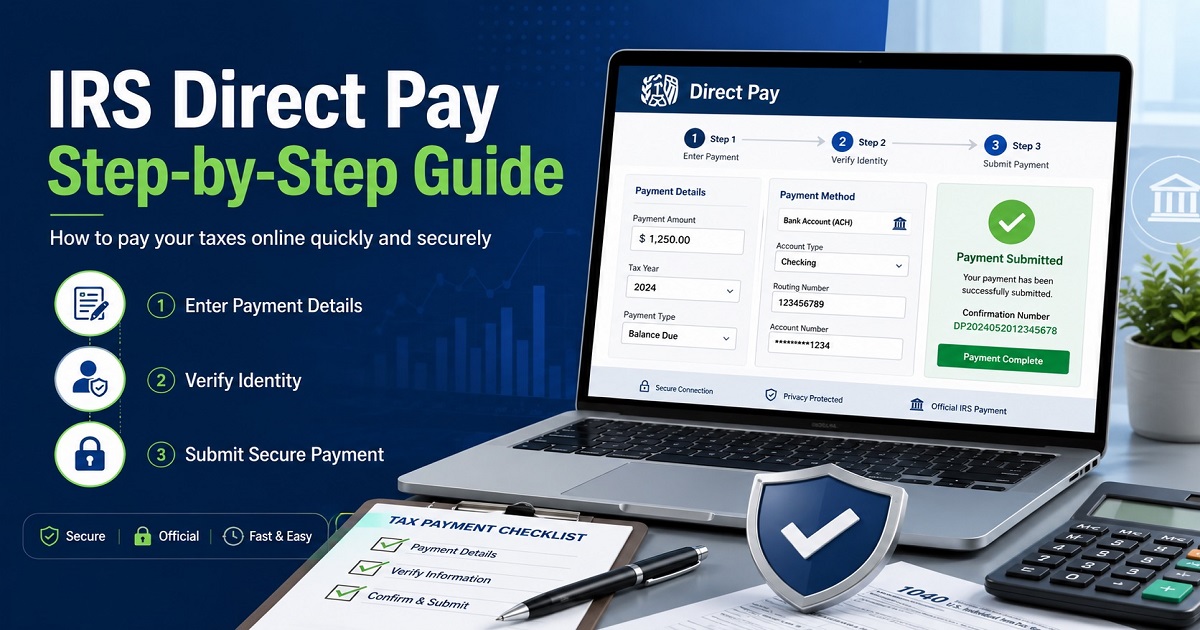
IRS Direct Pay Step-by-Step Guide
Step 1: Access the Portal
Go to the official IRS Direct Pay home page. Click on the blue Make a Payment button to get started.
Step 2: Select Payment Details
On the first page of the tax forms, complete information about your tax liability:
- Type of Payment: Select the payment type (Balance Due, Estimated Tax or Extension).
- Choose the appropriate form (e.g., Form 1040) to which the payment is to be made.
- Tax Period: Select the year in which you have to pay taxes.
Step 3: Verify Your Identity
The IRS needs to be verified to make sure that your payment is applied to the right person. You will need to give:
Information from a prior tax return (you’ll select a year in your past tax returns).
Your filing status and basic personal information like your Social Security, name, date of birth.
Note: Be sure to have a recent tax return (form 1040) with you for reference.
Step 4: Enter Payment and Bank Information
Enter the precise amount and exact date that you would like the payment to be withdrawn. Next, type in the bank routing number, account number, and specify whether it’s a checking or savings account.
Step 5: Provide Contact Info and Sign
To get your scheduled payment right away, enter a valid email address. The form will be digitally signed by filling in the name (last name, first name) and ticking the authorization box.
Step 6: Review and Submit
Check all information (amount, bank information and tax year). Click on the Submit button.
Step 7: Save Your Confirmation
After submitting, you will get a confirmation screen having unique confirmation number. Print this page, or save it as a pdf file for your records, and be sure to check your e-mail for the confirmation e-mail from the IRS.
What Is IRS Direct Pay?
IRS Direct Pay is an IRS.gov payment method where taxpayers can pay a federal tax directly from a checking account or savings account. It is generally used for IRS notice payments, if the tax balance due, estimated tax payment, extension payment, payment plan payment.
IRS Direct Pay online payment will have the ability to directly pay the IRS without the need of a third party processor, credit card or debit card. This is a convenient IRS bank account payment method for those who want to pay personal federal taxes in a secure and safe manner without having to pay them. Direct Pay, according to the IRS, is free, secure and requires no sign in.
Direct Pay is a way to pay the IRS from a checking account, or one of the IRAs can be paid from a savings account. It’s also useful to individuals who wish to pay taxes without having to log in, as it doesn’t require logins for many individual tax payments to IRS Direct Pay.
Direct Pay can be used to pay personal taxes such as balance due and estimated tax payments. The IRS also provides a list of the types of Direct Pay payments, such as extension payments and estimated tax payments including Form 1040-ES.
Who Should Use IRS Direct Pay?
IRS Direct Pay is ideal for individual taxpayers that prefer to pay the federal tax directly from a bank account. Direct Pay is a free and secure method for paying from a bank account without logging in to pay,” according to the IRS.
Use IRS Direct Pay if you need to pay a personal tax balance
If you need to pay a tax deficiency, tax balance due, Form 1040 payment online, or tax return payment use IRS Direct Pay. By paying with an IRS Direct Pay balance due payment, you won’t need to mail a check and will receive an IRS tax payment confirmation number.
For instance, Sarah filed her Form 1040 and was owing $1,240. She had her IRS tax payment by bank debit from her checking account (IRS Direct Pay) and saved the tax payment confirmation number on the IRS website.
Use IRS Direct Pay for estimated tax payments
Direct Pay offers taxpayers the option to make estimated tax payments, such as an IRS Direct Pay estimated tax payment as well as an IRS 1040-ES payment. On IRS Direct Pay, if you’re not sure about how to pay estimated taxes, or if you need to pay 1040-ES estimated tax online, choose the reason for estimated tax payment and use it for the appropriate tax year. Form 1040-ES is one of the options listed by the IRS for Direct Pay estimated tax payments.
Example: David has a career as a freelance designer. He paid his estimated taxes on his clients’ payments quarterly through IRS Direct Pay since he doesn’t withhold them from clients’ payments.
Use IRS Direct Pay for extension payments
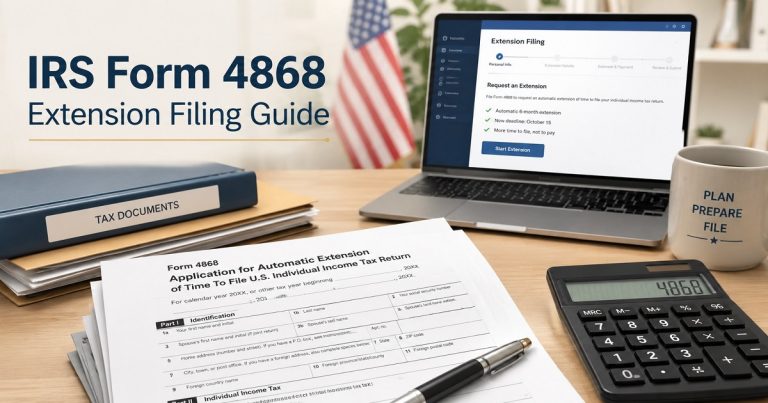
An IRS Direct Pay extension payment may be used as an extension payment on IRS Form 4868 and/or when learning how to make an IRS extension payment online. According to the IRS, Direct Pay will be an option for making a full or partial payment and that means they will give you an extension without filing Form 4868. There is, however, no extension of time to pay, just an extension of time to file.
Use IRS Direct Pay for payment plans or installment agreements
Direct Pay can also be used to make an IRS Direct Pay payment plan or installment agreement payment. When submitting, be sure to select the proper payment reason, “apply payment to” category, and tax year. It’s also possible to check on your payment information via your IRS report on line account. According to the IRS payment page, there are three options for paying a balance due, estimated payments and partial payments of a payment plan.
Example: Maria currently has an IRS installment agreement. If she is utilizing Direct Pay, she’ll want to choose the proper payment reason for the payments, for example installment agreement or a payment plan, so that the payment goes towards the correct balance.
What Information Do You Need Before Using IRS Direct Pay?
Preparing Identification, tax payment and bank details before using IRS Direct Pay. Direct Pay verifies your identity with data from a previous year’s tax return, the IRS states you have to select the tax year, how to distribute the payment and the reason for the payment.
Personal identification details
Social Security number or ITIN
Be prepared with Social Security Number or Individual Taxpayer Identification Number (ITIN).
Filing status
Filing status used to verify identity from the tax return that Direct Pay uses.
Tax year information
Direct Pay can use a previous year’s return – not necessarily the previous year in which you are submitting payments.
Tax payment details
Payment reason
Select the appropriate payment reason (Balance due, Estimated tax, Extension, Payment plan or Notice).
Apply payment to
Choose the appropriate “apply payment to” category (Form 1040, Form 1040-ES or Form 4868).
Through the end of the tax period, the tax year and the amount of tax.
Ensure that tax period, tax year, the amount to be paid and tax balance due is confirmed before submission.
Tax period, tax year, and amount
Should you have to pay for a reason that comes from an IRS notice, make sure to have the IRS notice number handy and compare it with the type of payment.
Bank account details
Bank routing number
Please enter the proper bank routing number.
Bank account number
Enter the proper account number for your checking or saving bank account.
Bank debit authorization
IRS Direct Pay is a method of payment that is processed like a bank debit (aka an electronic funds withdrawal) from your bank account. IRS Direct Pay is secure, easy to use and does not require signing up.
Practical note: Check your bank app, check or official bank statement before submitting to verify the routing number and bank account number. Taxpayers should also check with the financial institution to ensure they have the correct routing number and account number; and double check entries before filing with the IRS, the agency says.
IRS Direct Pay Step-by-Step Instructions
Step 1 — Go to IRS Direct Pay on IRS.gov
Go to IRS.gov payments and select Direct Pay from the IRS online payment methods. IRS Direct Pay is among the IRS electronic payment choices which enables the taxpayer to pay IRS online now without any cost. Direct Pay, according to the IRS, is free, secure and requires no sign in.
Step 2 — Choose your payment reason
With the IRS Direct Pay payment process, choose the appropriate payment reason, categorize, tax period and tax year. Typically, they could be a balance due, an estimated tax payment, an extension payment, a payment plan, a proposed tax assessment, or a notice payment from IRS. The IRS offers a list of payment options for direct payments for individuals such as payment plan/installment agreement and estimated tax options.
Step 3 — Verify your identity
To verify identity on IRS Direct Pay, be prepared to provide prior year tax return information, filing status, Social Security number/ITIN, and address information. Direct Pay uses data from one of your previous tax returns to verify your identity, according to the IRS.
Step 4 — Enter your bank account information
Next, you’ll see the bank routing number, bank account number, the type of account and payment amount. One can pay IRS online by using an IRS payment from checking account or IRS payment from savings account by making a bank debit.
Step 5 — Review everything carefully
Check the payment reason, tax year, payment amount, routing number, bank account number and scheduled payment date before submitting. This is particularly relevant for a payment scheduled by IRS Direct Pay as incorrect information could impact payment processing or cause the payment to go against the incorrect period.
Step 6 — Submit and save your confirmation number
Once submitted, be sure to save the IRS “Direct Pay” confirmation number, take a screen shot of the confirmation screen and ask for an email confirmation. Each Direct Pay payment is issued a confirmation number, which you will require to look up, change, or cancel a Direct Pay payment, according to the IRS. Taxpayers can also revoke or cancel a payment up to two days before the payments are due, the IRS says.
How to Check IRS Direct Pay Payment Status
Use IRS Direct Pay payment status IRS Direct Pay lookup payment option, “Look up a payment,” to verify the status of IRS Direct Pay payments. The IRS advises tax payers to have their confirmation number and SSN/ITIN on hand and that Direct Pay allows them to check, modify, or cancel payment of one payment at a time.
Don’t presume that your IRS Direct Pay payment wasn’t received right away if it’s not being shown. A payment can be delayed due to payment processing time, checking the incorrect tax year, payment type or account. Generally, a successful withdrawal will be credited on the date you choose in Direct Pay, but may take up to two business days to process, according to the IRS.
Find your IRS Direct Pay confirmation number.
There’s a confirmation number for each payment of Direct Pay.
Use “Look up a payment.”
Begin paying by searching for the payment using IRS Direct Pay.
Confirm the SSN or ITIN used.
Check your bank account for the debit.
See if there is any money taken out of your bank account.
Review your IRS online account or tax transcript.
Check your IRS account online or IRS tax transcript.
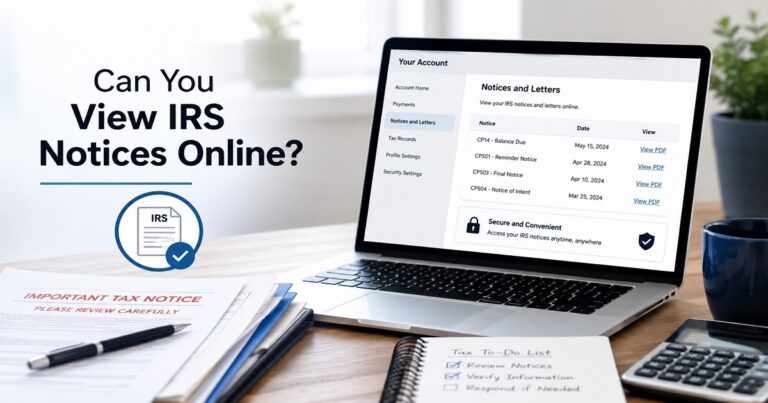
You can see payment activity, payment history, pending payments and scheduled payments on your online account.
Contact the IRS if the payment still appears missing.
If you’ve gone over your records, bank account, online account and IRS transcript and still have a missing payment issue, reach out to the IRS and they will be able to help you.
How to Change or Cancel an IRS Direct Pay Payment
Changes and cancellation to a scheduled IRS Direct Pay payment are only possible during the specified period only. Taxpayers can view payment information, track their payment status, edit and cancel payments up to two business days prior to the payment date using Direct Pay, according to the IRS.
Obtain confirmation number.
To use the payment lookup tool, you must have the payment confirmation number from the IRS Direct Pay confirmation.
Click on “Look Up a Payment.”
>For canceling, changing, changing payment or modifying IRS Direct Pay payment, use this option.
>Fill in your taxman’s details.
lass=”yoast-text-mark” />lass=”yoast-text-mark” />>Be prepared with the SSN/ITIN used for the payment.
>Check the time of the payment.
lass=”yoast-text-mark” />>Verify payment amount, tax year, payment reason and payment date.
>Make changes/cancel within the deadline.
>If you’re wondering whether you can cancel IRS Direct Pay after you have made the payment, the answer is yes, if it’s still within the IRS cancellation window. The IRS says that you can cancel or make changes two business days in advance of the payment.
>Save the confirmation with the changes.
>Once you’ve learned how to cancel an IRS Direct Pay payment or changed an IRS Direct Pay payment, record the new confirmation information.
Common IRS Direct Pay Problems and Step-by-Step Solutions
Problem 1 — IRS Direct Pay identity verification failed
If the IRS Direct Pay identity verification did not succeed, it could mean the Internal Revenue Service (IRS) has a mismatch with information from previous year’s tax return. To verify identity on IRS Direct Pay, include information from your most recently filed return, if accepted, include your filing status, verify your SSN or ITIN, and provide a correct address. Don’t take a stab at it since there could be a delay in the payment process if you enter wrong answers. Direct Pay confirms identity using information from a previous tax return, the IRS says.
<h3>Problem 2 — IRS Direct Pay payment not received
The first step to take if you don’t get paid and/or there is a missing IRS payment is to check your bank debit, payment confirmation,
IRS online account, payment history, and tax transcript. Another issue that can occur is if you are looking for a payment that is not in the right tax year or payment type. IRS online accounts are able to display balances, payment history and scheduled payments.</p>
<h3>Problem 3 — You selected the wrong tax year
If you entered the wrong tax year, tax period, and/or “apply payment to” category, save a
<p>copy of the payment and determine if the payment posted. If necessary contact the IRS and ask them to apply the payment properly. Be aware of any payment return notices or account adjustments.
Problem 4 — You lost your IRS Direct Pay confirmation number
If you don’t have your IRS Direct Pay confirmation number, look in your email for the confirmation email, check screenshots or downloads, check bank statements and use IRS online account payment history if available. According to the IRS, saved confirmation numbers will enable you to view Direct Pay transactions one by one.</p>
Problem 5 — IRS Direct Pay is not working
If IRS Direct Pay is not available, check the availabil
ity of IRS Direct Pay and attempt again at a later time. Direct Pay is typically available 24 hours a day, 6 days a week (12:00 a.m. to 11:45 p.m. ET) and 7 days a week (7:00 a.m. to 11:45 p.m. ET) on Sundays. Don’t wait until the last minute—if the tax due date is approaching, you may want to consider another way to pay your taxes, like EFTPS, same-day wire, debit card, credit card or a digital wallet.
IRS Direct Pay vs Other IRS Online Payment Methods
The IRS payment page provides details of IRS payment methods, such as Direct Pay, IRS online account payments, business tax account payments, debit card payments, credit card payments, digital wallet payments, EFTPS, payment plans and more.
<td>Bank fees may apply</td></td>
| Payment Method | Best For | Login Required? | Fees |
|---|---|---|---|
| IRS Direct Pay | Bank account payment, balance due, estimated tax, and electronic funds withdrawal from checking or savings | No sign-in required | Free |
| IRS Online Account | Viewing amount owed, payment history, scheduled payments, and making account-based payments | Yes | Usually free for bank payments |
| EFTPS | Business tax payment, large payments, recurring payments, or payments above Direct Pay limits | Enrollment required | Free |
| Debit/Credit Card | Paying when bank debit is not preferred | Payment processor required | Fees may apply; IRS says processor fees do not go to the IRS |
| Same-day Wire | Urgent or large payments | Bank required |
Direct Pay vs EFTPS, typically Direct Pay is better for individual bank account payments since there is no sign in required, and EFTPS is better for businesses, recurring payments and large payments. IRS Direct Pay vs IRS Online Account: Direct Pay is quicker for a straightforward bank payment, whereas an IRS online account is more helpful if you want to view your balances, payment history or upcoming payments prior to paying.
Real-Life Examples of Using IRS Direct Pay
Example 1 — Employee with a Form 1040 balance due
John filed his Form 1040 and owed $890. He entered his personal information into IRS Direct Pay, and then selected “Balance Due” and chose the appropriate tax year, provided the checking account details, and saved his confirmation number. This is typically how one pays an IRS Form 1040 payment online, makes an IRS balance due online or makes a regular tax return payment. Balance due payments and other types of single payments are accepted by IRS Direct Pay.
Example 2 — Freelancer paying quarterly estimated tax
A self-employed writer pays about Direct Pay every quarter as an estimated tax payment. She chooses Form 1040-ES, and she checks off the tax year that it is for, and doesn’t file the tax year confirmation in the tax folder. Here’s an example of an IRS 1040-ES payment and IRS Direct Pay Options for payment.
Example 3 — Taxpayer filing an extension
Michael did not complete his tax return on time (April) but he estimated his tax debt to be at $2,000. He paid an extension using IRS Direct Pay and kept a copy for his records (his Form 4868). When learning how to make an IRS extension payment online, an extension doesn’t extend the extension period to pay, so taxpayers should make a best estimate payment when they are given an extension to file.
Example 4 — Taxpayer with an IRS notice
Angela got an IRS notice</em> number that indicated an amount due. She checked the notice number, tax year and tax payment reason before she made any payment to ensure that her payment was applied correctly. If the notice refers to a proposed assessment of the tax, she should check the notice, save the confirmation, and at a later time check the status of the payment (if necessary). The payment situations for proposed tax assessments and proposed tax situations for notice are included in Direct Pay.
Real Case Laws and Legal Lessons for Taxpayers
Case Law 1 — United States v. Boyle
In the United States v. Boyle case, the U.S. Supreme Court ruled that the failure to act reasonably would not include relying on an attorney or agent for the purposes of Section 6651(a)(1) of the Internal Revenue Code. The Court in its explanation stated that taxpayers are still required to comply with the strict tax deadlines.
Legal lesson: In general, the deadlines for filing and payment of taxes are also the responsibility of the taxpayer, even when they hire a tax professional.
How it relates to IRS Direct Pay: If a preparer claims to pay it later or that everything was done confirm that your federal tax was paid. Keep your IRS Direct Pay confirmation number, screenshot the confirmation page and keep bank proof.
Case Law 2 — Lee v. United States
In Lee v. United States, the Eleventh Circuit used the Boyle principle in an e-filing setting and denied that late filing penalty should be given special consideration when it comes to e-filing versus paper filing.
Taxpayer alert: Just as in any other business scenario, taxpayers should ensure that a time-sensitive filing or payment requirement was met, and it may be necessary to provide evidence for ordinary business care and prudence.
For time-sensitive payments make sure you know it has been submitted to IRS Direct Pay: Keep your confirmation number, check your bank debit and use IRS Direct Pay lookup or your IRS online account to check payment status.
IRS Penalty Relief Rule
The IRS states that in situations where a taxpayer used “ordinary business care and prudence” but still failed to pay and/or file on time, reasonable cause may be present. Such as a serious illness, natural disaster, failure to get records or some system problems. Usually, having a tax professional rely on them or not knowing, errors, omissions or insufficient funds will not qualify.
What Happens If You Do Not Pay the IRS on Time?
The IRS may impose penalties and interest on your tax debt if you do not pay the amount that you owe the IRS on time. That’s why it’s important to pay taxes as early as possible to avoid having an IRS penalties and interest payment get larger.
The foremost penalty is the absence of paying the penalty. The IRS says that this fine is typically 0.5% of the taxes that have not been paid, but not more than 25% of unpaid taxes, per month or part month. The penalty can be lowered to 0.25% per month, if the individual has filed the return on time, and has an approved payment plan.
With the notice of intent to levy, the IRS may start charging the taxpayer a penalty of 1% per month, or part of a month, if the tax is still not paid within 10 days.
Mistakes to Avoid When Using IRS Direct Pay
To ensure that you avoid IRS Direct Pay errors when paying, use this checklist:
- Selecting the incorrect reason of payment.
- Failure to select the correct tax year and/or tax period.
- Giving an incorrect bank routing number.
- Incorrect bank account number.
- Not saving the payment confirmation or IRS Direct Pay confirmation number.
- Waiting until the IRS payment due date to submit the payment.
- Extend the period in which to pay. An extension is not an opportunity to pay, it’s an opportunity to file, the IRS states.
- When a payment alternative other than Direct Pay is better, such as an IRS online account payment, same-day wire, card payment and EFTPS.</li>
- Not reviewing payment status after submitting IRS Direct Pay.
- If an IRS Direct Pay payment is returned to you, you don’t need to do anything about it.If an IRS Dire
- ct Pay payment is sent back to you, you won’t have to do anything about it.
- Failure to pay an amount for a payment plan balance in the incorrect category.
- If the statements are made by a tax professional, assuming them without proof.
- If the payment is not listed properly in your online IRS account, on your IRS payment history or on your IRS tax transcript, you should check it out!
Expert Tips for a Smooth IRS Direct Pay Payment
Before and after a secure IRS tax payment via IRS Direct Pay, use these tips:
- Be sure to store your confirmation number from IRS Direct Pay in two or more locations, one of which is a secure password manager.
- Close the Direct Pay session, and ask for an email confirming that it has been shut down. Taxpayers have the choice to get email alerts about Direct Pay payments, according to the IRS.
- Make a screen shot of the confirmation page.
- Please ensure that you pay the correct tax year before you pay.
- Be sure to use the same full name, SSN or ITIN and filing status as listed on your tax return.
- To ensure that the bank account was debited, consult the bank account post payment date.
- Save all IRS tax payment receipts along with tax returns.
- If you want more payment history, balances, pending payments or scheduled payments, use your IRS online account. Online accounts may display payment history up to five years back and any pending or scheduled payments, the IRS says.
- When looking up, changing or cancelling a Direct Pay payment, refer to the confirmation number. It’s required by the IRS for those actions, and has its own confirmation number for each Direct Pay payment.
FAQ Section
FAQ 1: What is IRS Direct Pay?
IRS Direct Pay is one of the IRS’ online payment options that allows taxpayers to pay federal taxes directly from their checking or savings account.
FAQ 2: Is IRS Direct Pay free?
Yes, IRS Direct Pay is a free service.
FAQ 3: Do I need an IRS account to use Direct Pay?
Yes. IRS Direct Pay is sign-in free, secure and free of charge.
FAQ 4: What information is needed for IRS Direct Pay?
Yes, you must have an IRS account to use Direct Pay.
FAQ 5: Can I pay estimated taxes with IRS Direct Pay?
There is no sign-in to use IRS Direct Pay. An IRS Online Account, however, will allow you to check balances, payment history, tax records and more.
FAQ 6: Can I cancel an IRS Direct Pay payment?
Yes, you can cancel IRS Direct Pay.
FAQ 7: Where do I find my IRS Direct Pay confirmation number?
A Direct Pay payment includes a confirmation number when you make the payment.
FAQ 8: What should I do if my IRS Direct Pay payment is missing?
Always verify your confirmation number, bank debit, IRS payment status, IRS Online Account and tax transcript. The IRS Online Account will provide transcripts, payment records and balances. If the payment does not show up, contact the IRS and retain all receipts of payment.